
Roblox Gift Card Redeeming by Code
In today's topic, we wanted to talk about how to redeem a Roblox gift card using a code. At first glance, everything is very simple. However, there are several important features that we would like to dwell on in more detail.
Roblox gift cards can be used to purchase Robux, a virtual currency that can be used to purchase items, a premium account, and other in-game attributes. To exchange real money to Robux you need a redeeming procedure.
Roblox Gift Card Redeeming Online
If this is your first time using a Roblox voucher, you may have noticed that you cannot use real money in the virtual universe. To buy gaming products you need to exchange real money on the voucher balance for the currency of the game world - Robux.
When we talk about redeeming a gift card, we mean that you are already a registered member of the Roblox game universe. If you have not done this yet, you will first have to create an account. If only because there are no other ways to redeem a gift card.
So, to transfer funds to Robux, visit the official website at Roblox.com/redeem
This is the only way you can make a currency exchange. The Roblox store on Amazon also uses Robux exclusively.
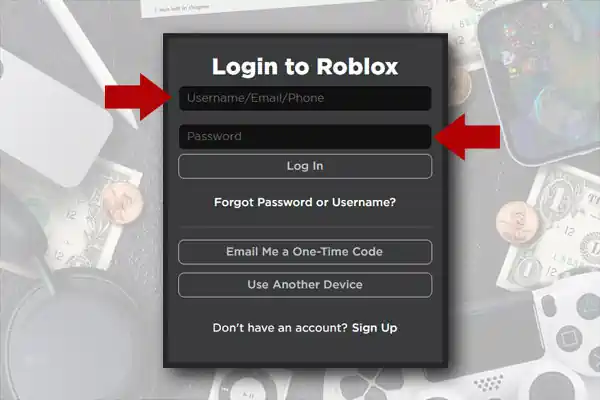
Log in to your account using the information you entered when registering. This could be your nickname, email or phone number, as well as a password.
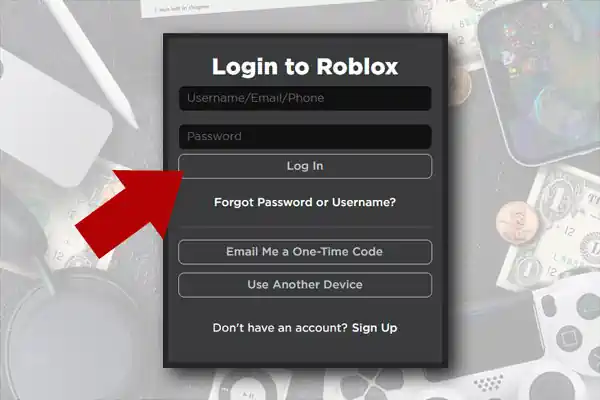
Confirm your request.
In the electronic form field that appears, you must enter a unique gift voucher code. It is usually located on the back of the card and covered with a scratch layer.
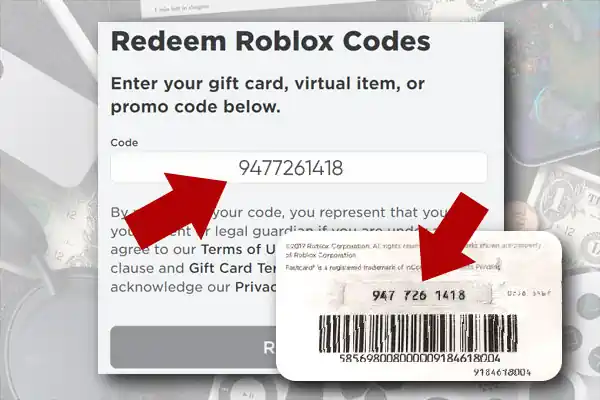
Tip: Carefully check that the code you entered is correct. It should be noted here that confusion often occurs when users enter similar alphabetic characters instead of numbers and vice versa. For example, the zero is often mistaken for the letter O, and 1 for a lowercase L or a capital i.
We think that this is due to the unbefitting font typeface chosen for applying the code combination. However, the situation remains the same to this day.
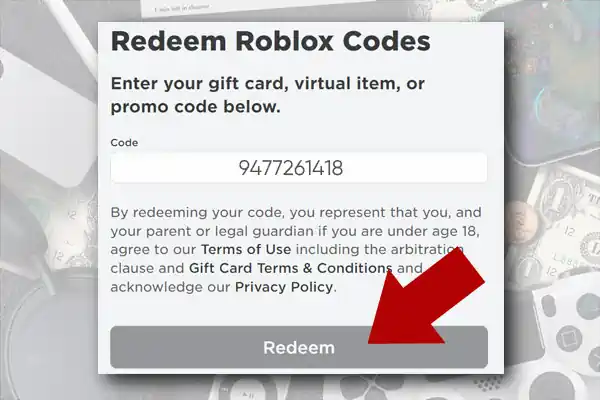
Click Redeem to confirm the funds transfer procedure and wait for a message that the currency has been successfully credited to your account.
Attention! You can only use cards from the country in which your account is registered. For example, US players cannot use Canadian or European gift vouchers and vice versa. Remember this.
Roblox Gift Card Redeeming via Mobile App
We remind you that replenishing your Robux wallet is possible only using the electronic form on the official website. There are no gift card redeeming methods through a mobile application or using a game console!
Read also: How to view amount of your Jewel-Osco gift card
However, it is possible that in the future the situation will change and such an option will become possible. It seems to us that this would be very convenient.
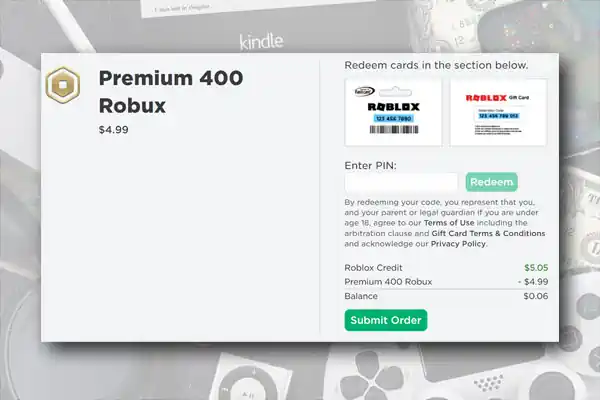
You can check your current balance or view your spending history using your mobile app or console.
Conclusion
Successful exchange of real money for game currency is largely possible thanks to a clear and simple electronic system. The developers really tried to make redemption of gift cards possible in two clicks. Therefore, even a novice player can figure it out in a few minutes.
If you still have problems, then you should use the Roblox feedback form, where you need to indicate the reason for the request, as well as additional information about yourself and the certificate:
- Nickname
- Date, place of purchase of the voucher and denomination
- Serial number and PIN
And also send images of the gift card for a more detailed study of your problem. Online chat with Roblox technical specialists is available at www.roblox.com/support
Rating